Windows 11 Taskbar Still to Get AI Intelligent Agent, Preparing for Launch
Microsoft recently clarified that it has not abandoned the creation of an “agentic” experience in Windows 11, and the taskbar-level AI agent function is still progressing as planned. This means users will eventually be able to directly call various AI agents, including third-party agents, from the taskbar, but the function will be optional and not enabled by default.
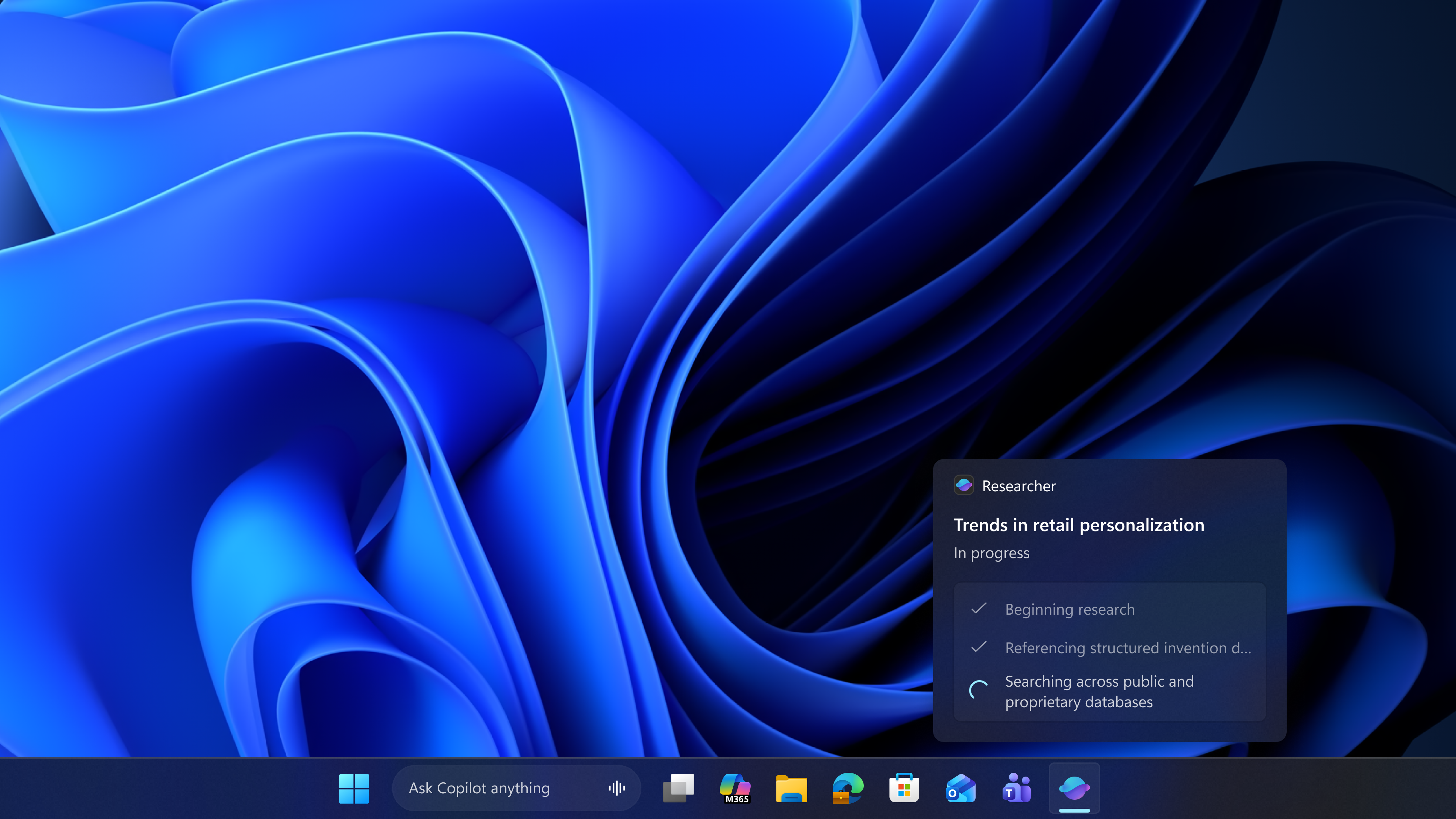
Previously, Microsoft stated it would reduce the presence of Copilot in Windows 11, introducing AI only in the “most meaningful” scenarios, which once led to interpretations of its “shrinking AI strategy.” However, from the latest developments, Microsoft is not completely removing AI from the system, but rather changing the integration method and focusing more energy on new forms such as taskbar agents. Currently, Windows 11 Build 26200.8313 with taskbar agent support has been pushed to the Release Preview Channel of the Windows Insider Program. The update also includes improvements such as a faster File Explorer, while the “intelligent agent taskbar” is hidden in the details of the update log.
It is understood that these agents have a high degree of autonomy and can independently plan, research, reason, and execute tasks with minimal human intervention. After Microsoft begins to widely push related integrations, users will be able to directly trigger agents such as Microsoft 365 Researcher from the taskbar to handle multi-step research and information organization tasks. To enable related functions, users need to operate through the Microsoft 365 Copilot icon on the taskbar, such as hovering to monitor or control the progress of agent tasks.
From the interface demonstrated by Microsoft, Microsoft 365 Researcher can perform multi-step research tasks in the background, with a form similar to the Deep Research of ChatGPT or Google Gemini, but with additional advantages: it can directly access historical documents and files stored in the user’s OneDrive or Microsoft 365. Relying on this capability, Researcher can generate more complete and customized reports, and the entire process revolves around the taskbar entry point, allowing users to track AI task progress without leaving the desktop main view. It should be emphasized that Microsoft 365 Researcher is part of the Microsoft 365 Copilot suite, and users who have not installed the related application or subscribed to Microsoft 365 will not be able to use this function.
The taskbar AI agent is also part of Microsoft’s “Ask Copilot” plan. A new experience that may be launched in the future is that in the “Ask Copilot” search box on the taskbar, users can use “@” to mention and trigger a specific agent, such as “@Researcher.” After entering “@,” the system will automatically list all available agents on the current device, and users can directly select and call them from the list. This “agentized” experience is based on the Model Context Protocol (MCP), which allows any AI model or agent to connect to existing applications and file systems, including the operating system itself.
For developers, MCP provides a new path to connect their agents to the Windows 11 taskbar. Developers only need to connect the agent to MCP, and it can be connected to the Windows 11 shell and taskbar interface through the Windows.UI.Shell.Tasks API, thereby obtaining a system-level entry point. It is not yet clear whether companies such as Anthropic and OpenAI will join this ecosystem, but it can be confirmed that Microsoft 365 applications have become one of the first “early adopters.”
The outside world is also concerned that since Microsoft previously promised to “reduce AI” in Windows 11, why is it accelerating the promotion of taskbar agents? In this regard, from Microsoft’s public statements, the company is not going to “zero out” AI in the system, but is shifting to a more cautious and focused deployment strategy on practical scenarios. Microsoft emphasizes that it will not force users to use agents on the taskbar, and the function is completely optional for users to enable or disable. The system will also not “urge” users to experience Copilot or taskbar AI through frequent pop-up windows, including Microsoft 365 Researcher, will not be pushed by coercive means.
In a statement, Microsoft said it will think more specifically about how to integrate Copilot into Windows, focusing on experiences that are “truly useful and well-polished.” As part of this adjustment, the company is reducing some entry points that are considered “not essential” for Copilot, namely in applications such as Snipping Tool, Photos, Widgets, and Notepad. From the statement, it can also be seen that Microsoft is reducing the Copilot brand and entry points, not the AI capabilities themselves; even if the name Copilot fades in some scenarios, AI functions will continue to exist in Windows 11 in other forms.
This is why Microsoft is removing Copilot from the Snipping Tool and renaming Copilot to “Writing Tools” in Windows Notepad, while simultaneously promoting AI agents on the taskbar. In the coming months, the overall “presence” of AI in Windows 11 will be reduced, but “reduction” does not mean “zeroing out.” Some observers pointed out that AI still has a lot of potential uses in areas such as hiding personal information (such as automatically blocking privacy content in screenshots), but Microsoft is currently investing more resources in taskbar agents, and investment in these niche scenarios has not yet become apparent.
From the author’s personal point of view, taskbar agents are not currently impressive, but as long as they remain completely optional and do not disturb users excessively, such attempts are acceptable. Under Microsoft’s new strategy, AI in Windows 11 will shift from “entry points everywhere” to “less is more,” and taskbar agents will become an important carrier of this adjustment.