Google Plans to Transform Chrome into a Tool for Enterprise Users
At this week’s Google Cloud Next conference, Google announced it will bring an intelligent agent feature with “AutoBrowse” capabilities to the enterprise version of Chrome, while simultaneously strengthening related security measures. With this feature, enterprise users can leverage Gemini to understand real-time web page content in open tabs and then have AI perform various web-related tasks, such as booking travel, entering data, and scheduling meetings.
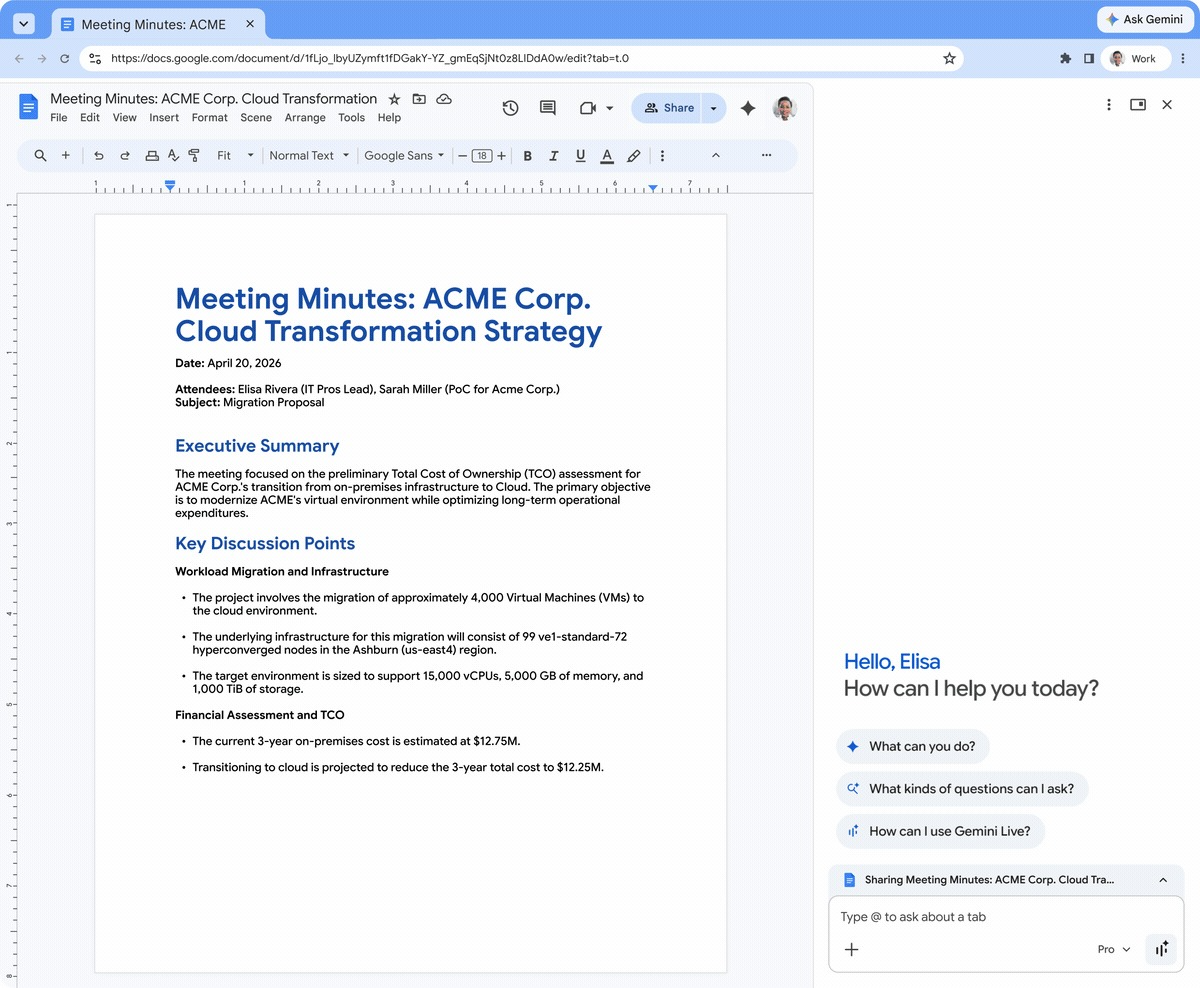
Google says the AutoBrowse feature can help employees complete a variety of typical scenarios: for example, entering key information from a Google Doc into a company-specified CRM system; automatically comparing quotes from different vendors across multiple tabs; quickly summarizing a candidate’s portfolio before an interview; and extracting key data from competitors’ product pages. However, these workflows still require “human-in-the-loop,” meaning users must manually review and confirm AI-generated inputs or actions before final decisions are made.
Google emphasizes that the goal of these capabilities is to accelerate tedious, mechanical transactional operations, freeing up employee time to focus on what the company calls more “strategic” work. This logic also aligns with the grand promises of current AI proponents: to “give you back time” through new technologies. However, actual research shows that AI has not actually reduced workloads in many scenarios, and there is a trend of “intensifying work.” As for how it will evolve in enterprise environments when AI becomes part of standardized workflows, it remains to be seen. It is foreseeable that managers may expect employees to complete more tasks in the same amount of time based on this.
Google introduced that the new feature will first be available to Workspace users in the United States, as part of its strategy to deeply embed AI into workplace “standard applications”—web browsers that almost everyone uses. Enterprise administrators can enable the feature through policy configuration. Google also promises that prompt information entered by internal users when using these features will not be used to train its AI models. In a time when data usage is becoming increasingly sensitive, this disclosure has become a necessary explanation, especially in light of reports that Meta even uses employee keyboard input to train its AI models.
Similar to the consumer version, enterprise Chrome users can also save frequently used workflows for quick access in the future. Google calls these pre-set workflows “Skills.” Users can either invoke a Skill by entering a forward slash “/” or click the plus button on the interface to select it, quickly retrieving frequently used processes in complex web operations.
While enhancing Chrome’s AI capabilities, Google is also strengthening its detection and control of “unauthorized AI tools.” Through Chrome Enterprise Premium, Google has previously been able to identify unauthorized AI tools used within enterprises, and this capability will now be expanded to monitor compromised browser extensions or other AI services, focusing on “anomalous agent activity.” From a security perspective, this is positioned as helping IT teams identify potential risks, but it also has another meaning: Google is using the power of enterprise IT to curb other AI agent services that are naturally growing from the bottom up in the workplace.
In the past “Enterprise 2.0” wave, many cloud storage services, collaborative documents, or file sharing tools gained a foothold within enterprises by being spontaneously adopted by employees. Now, Google is trying to control the entry and scope of use of generative AI and various SaaS in enterprises through official tool suites and monitoring capabilities. Google has named this new capability “Shadow IT risk detection,” which has a rather “shadowy” connotation, allowing IT teams to fully understand the actual use of authorized and unauthorized generative AI and SaaS websites within the organization.
At the same time, IT teams will also receive “Gemini Summary” provided by Gemini, which is used to overview Chrome Enterprise release notes and other change information. This summary will highlight key changes, new policies, and features that will be deprecated, and provide AI recommendations for configuring new settings and auditing managed browsers.
In the security field, Google also announced an expanded partnership with Okta to strengthen the security of the “agentic workplace,” adding more mechanisms to reduce the risk of attacks such as session hijacking. In addition, Google has upgraded its security control capabilities for browser extensions and introduced integration with Microsoft Information Protection (MIP) to help enterprises enforce consistent security policies across multiple systems.