Windows 11 Clock App Redesign Adds AI, Detects Distraction and Automatically Pauses Timer
According to WindowsLatest, Microsoft is significantly redesigning the built-in Clock app in Windows 11. The enhanced Focus sessions will introduce AI-powered insights and utilize the PC's NPU to detect attention status. The new Clock app features extensive rounded corner designs and a more streamlined UI, a stark contrast to the long-unchanged old version.
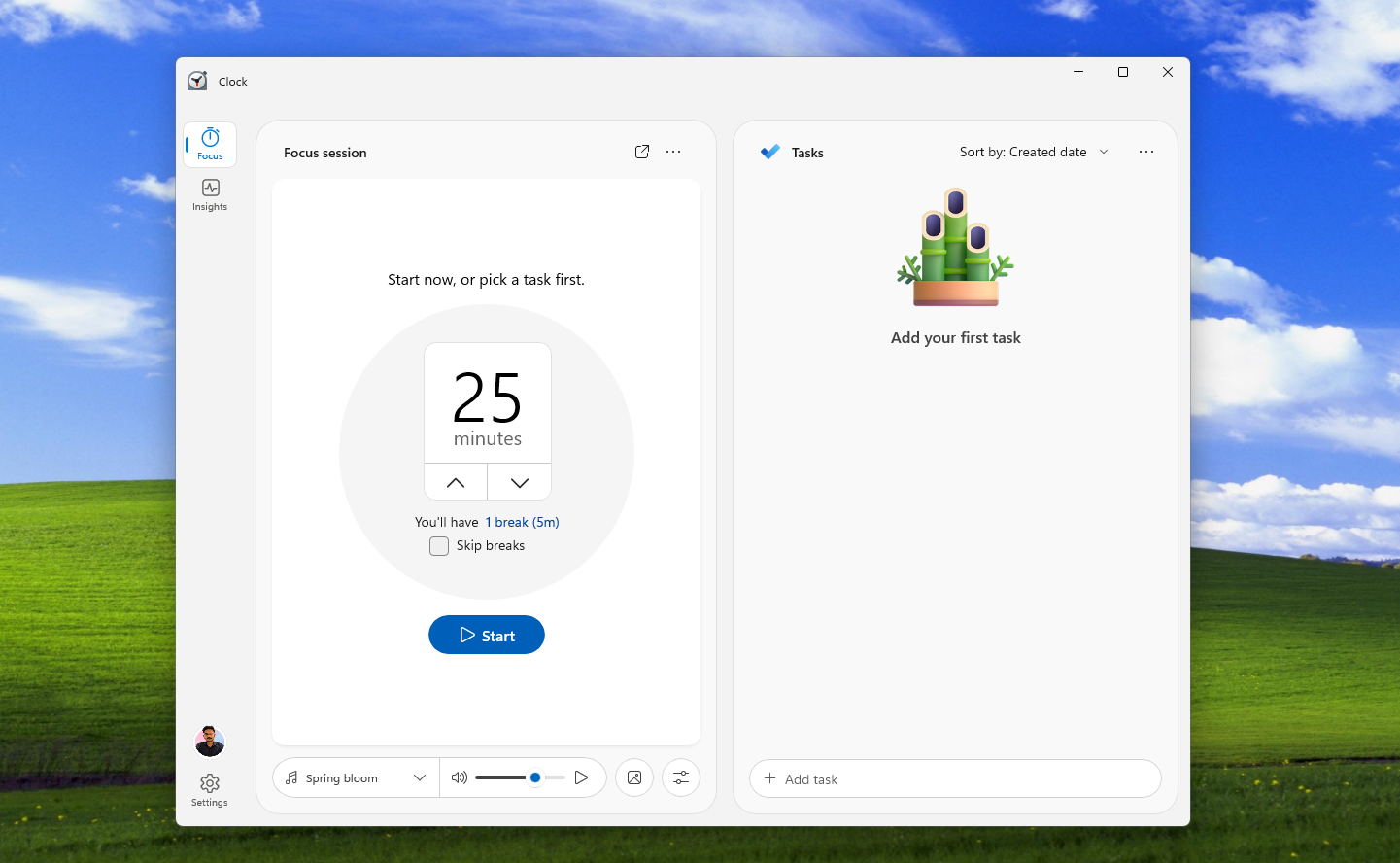
Focus sessions support customizable focus and break durations, background music playback, background image settings, and deep integration with Microsoft To Do. The task panel occupies half the screen and supports sorting by title, creation date, and due date.
The most noteworthy feature of the redesign is Reflection. After each focus session, the app asks users to evaluate their state, providing five levels: Deep Focus, Focused, Steady, Distracted, and Lost Focus.
After saving the data, the app will generate focus insights based on these records, helping users understand their own productivity patterns.
Developer Gustave Monce discovered NPU-related pages in the test version, suggesting that the AI insights function may be driven by the local NPU rather than cloud processing.
The settings also include an option to "Automatically pause when focus decreases." The app will detect when the user loses focus and automatically pause the timer, although the specific implementation mechanism of this function is currently unclear.
In addition, the new version reserves connection points for online learning platforms such as Canvas and Moodle. Future support may allow users to directly set focus timers for course assignments, currently displayed as "Coming Soon."
It should be noted that this redesign is still in the early stages of development, with many features in placeholder status and memory usage approximately double that of the old version. The official release time has not yet been determined.