Major Rufus Update: Introduces New Windows 11 Installation Method, Significantly Improves Computer Performance
The popular bootable USB creation tool Rufus today released the official version 4.14 update, which entered the testing phase last month. This update brings several important improvements for Windows users, including silent installation, pre-installed app removal options, WindowsToGo fixes, and local account issue fixes.
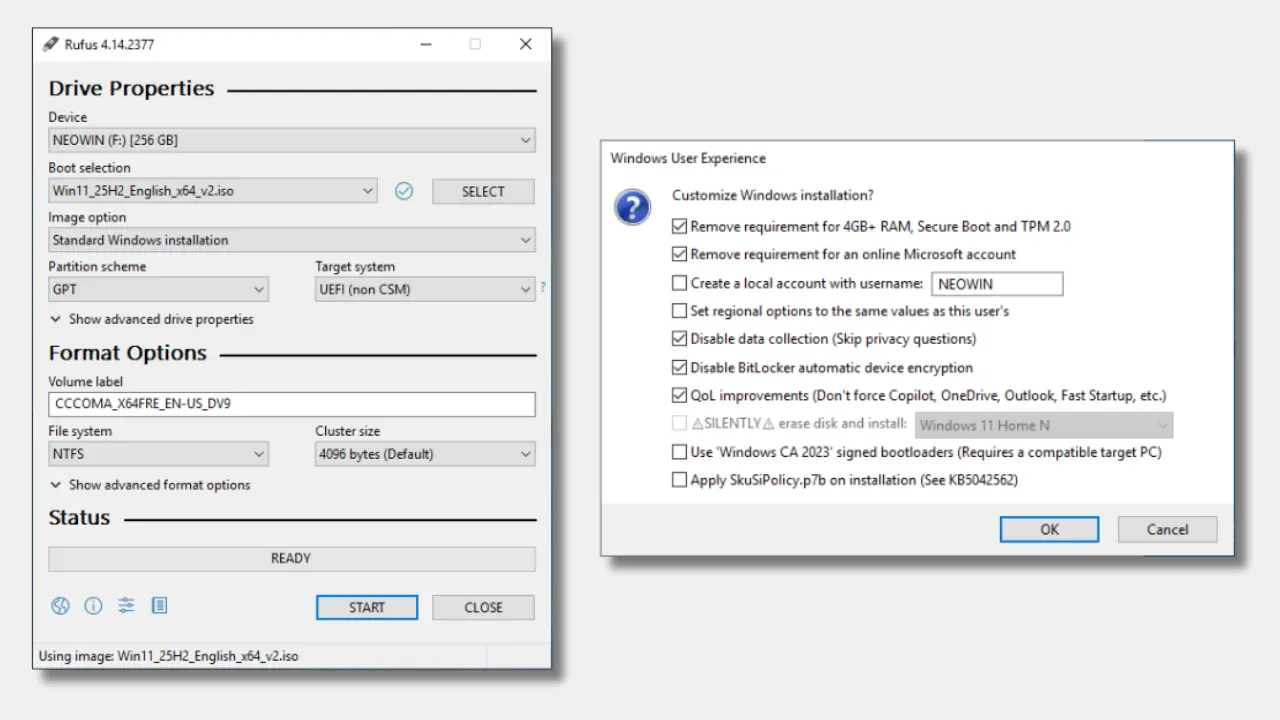
The new version introduces an unattended "silent" installation mode, allowing the Windows system to automatically deploy to the first detected disk without requiring any user input. This feature is primarily aimed at advanced users and experienced players, enabling a faster, hands-free system installation process. At the same time, the update also adds an option to disable specific pre-installed Microsoft applications during installation, including Teams, Outlook, and Copilot. For users who do not need these applications, this update can speed up computer startup, which is especially helpful for users running Windows 11 on low-end hardware.
This update also improves clarity during the Windows installation process by enhancing UEFI:NTFS partition labels. UEFI:NTFS is a lightweight bootloader that allows UEFI systems to boot from NTFS or exFAT partitions, even if the firmware only supports FAT32 format. It bypasses typical file size and file system limitations by loading NTFS drivers from a small FAT partition and then transferring control to the boot files on the NTFS partition.
The update also resolves Windows To Go media creation errors in the Windows 11 25H2 version caused by the new BCDBoot. Windows To Go is a legacy feature that allows running the Windows system from a USB device, while BCDBoot is a command-line utility used to configure boot files or boot configuration data. In addition, this update fixes a bug that caused problems when creating local accounts that started or ended with space characters.
In addition to improvements for Windows, Rufus 4.14 also adds tooltips for all dialog options, improves error messages when users try to use images located on the target drive, and adds limited support for El-Torito UEFI image extraction, primarily for Dell BIOS update ISO files. The update also improves detection and exclusion of new Bitdefender hidden virtual disks, as previous versions could not filter these files correctly.
Download address: